
 Once you decide to become a customer, you'll sign our month-to-month service agreement and complete a brief questionnaire asking you about the name of your community, physical (and mappable) address, your property manager's name and contact information, your community's domain name if there is one, and some additional easy-to-answer questions. This will allow us to perform the site activation and do some basic early customization.
Getting Your Site Started
| First contact |
| When you first contact us, we'll answer any questions you may have. If you're interested in working with us, we'll send you a questionnaire that will allow us to activate your new website and perform some initial customization. |
| A brief questionnaire and month-to-month service agreement |
| Once you decide to become a customer, you'll sign our month-to-month service agreement and complete a brief questionnaire asking you about the name of your community, physical (and mappable) address, your property manager's name and contact information, your community's domain name if there is one, and some additional easy-to-answer questions. This will allow us to perform the site activation and do some basic early customization. |
| Domain name acquisition |
| If your community doesn't have a domain name, we'll help you get one. Once we find one you like, you can choose to purchase it and, later, pay for renewals; or we can purchase and manage the domain for you, with our written assurance that we'll transfer it back to you at no charge (except for any transfer fees required by your registrar), should you ever choose to cancel our service. |
| Training |
| Once we receive your completed questionnaire, we'll activate your new website and perform some early customization such as unit formatting, populating your Utilities module, and customizing a few of your eForms. We can also take select compatible content from your existing site, if there is one, or from the developer's site if it's still online. Next, we'll send you an email confirming the activation that includes a link to our series of orientation videos. Once you've seen those, you'll have a basic understanding of how to perform administrative tasks on the website and can begin adding content. We also have a special Help Center with articles to review some of the more complex work, idea galleries to help you see how to make better use of the software, and some articles on improving communication in your community. After you have had a chance to explore and begin using the software, you can schedule a one-on-one personalized session for additional training on our content management system, where we will provide suggestions and best practices. To help you get the most out of your website, complimentary one-on-one help is always available at no extra charge. We even have help tips built into the content management control panels, and useful instructional videos. |
| Uploading content |
| Once you know how to use the system, you'll want to upload all your legal and non-changing informational documents such as your CC&Rs and Rules & Regulations, as well as your current and past meeting minutes, audits, and other reports. Your site should contain a collection of resources, information, communication, and educational info to help your users be informed, educated, and able to self-help. We will also provide you with a content planning guide to help you decide on and collect content for the website. |
| Design |
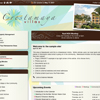
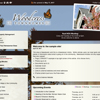
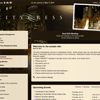
| While you're working on uploading content, we'll be customizing the visual aspect of your website using photos you send us of your community, its interior and exterior common elements, and its views and neighborhood. If you'd rather not include actual photos of your property, we can, for an additional fee, have one of our design partners create an attractive, graphic look for your website that reflects an interesting aspect of your surroundings. |
| Launching your site |
| Just before you launch, you'll want to schedule your pre-launch call with us, where we'll review your site with you from end to end, helping to make sure everything is working properly and ready for your association to begin using. As always, we will answer any questions you have, and give our advice on best practices. |
| Follow-up |
| Following launch, we'll stay in touch with you by email. We'll also monitor your use of the website and contact you if we see that you're doing something incorrectly or not taking advantage of certain features. In addition we send a monthly Health Report email which highlights areas you are doing a good job on and alerts you to items that need your attention. Most likely, it will be smooth sailing from there on out; but if there is anything you need at any time, just let us know. We're only an email away! |
Why use CondoSites?

Incredibly easy to use and elegant: Once you login, everything you need is just one click away, presented in a modern intuitive layout.
All inclusive service, and easy cancellation: Month-to-month service and all inclusive pricing regardless of the number of units means we work hard to keep you happy.
Easy to administer: Even people with minimal computer skills find it a breeze to manage their community website with our content management system.
Industry experience: Developed by a board president and serving communities since 2005.
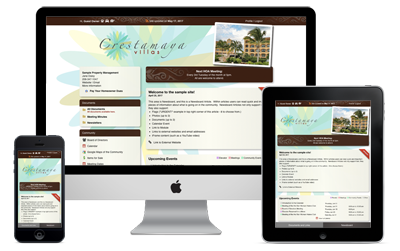
Responsive design: Our websites look beautiful and are fully functional on a computer, tablet, or smart phone.
$65 per month
When Paid Annually
- or -
$70 per month
When Paid Quarterly
All inclusive price - regardless of your association's size.
No setup fees, domain fees, long term contracts, hidden charges, or termination fees.
Includes all of our services, amenities, domain registration and renewal, hosting, and unlimited admin support.